Get rid of paper MSDSs
One kiosk replaces the MSDS binders and notice boards kept at every site. No more printing and swapping pages.

WaveWorks MSDS
Replace the paper MSDS binders kept at every site with kiosks for each plant and location. Find the exact document even for items that differ only by composition, and update every location with a single revision upload. It connects to ERP · MES, and anyone can use it without a manual.
One kiosk replaces the MSDS binders and notice boards kept at every site. No more printing and swapping pages.
Even with the same name, different suppliers, components or content get their own MSDS. Workers open the document for exactly the product in their hands.
Upload a revised MSDS once, and kiosks at every plant and location that use the substance update right away.
With just big buttons and a search box, even first-time workers use it right away. No training needed.
Look up the MSDS and handling guide for the substances in use at the workplace kiosk. If an accident happens, check emergency response steps and wash station locations right away.
Set kiosks and posted substances by plant · location · department. Manage revised MSDS, regulated substances and safety notices on the admin screen.
See the hazardous chemical status and regulatory compliance of the whole site at a glance. Pull out the records you need for inspections and audits right away.
Keep each product MSDS and the handling guide by work process on a kiosk instead of in binders. Zoom, fit, save and print right on the screen.
Even under the same item name, MSDSs are managed separately when the supplier, components or content (CAS) differ. Search results are split by product and by chemical, so nothing gets mixed up.
Set which substances each plant, location and department uses, and a revised MSDS uploaded once updates right away on just the kiosks that use that substance.
The first screen has only a search box and big buttons. Enter Korean or English substance names with the on-screen keyboard, and two taps open the document.
Post emergency response procedures, emergency contacts, eyewash and shower layouts, evacuation maps and PPE rules by location, and play safety training videos while the kiosk is idle.
Flags substances regulated under the Occupational Safety and Health Act · Chemicals Control Act and sends renewal alerts. Changes apply only after request and approval, and the approval history is kept. Item and purchase data stay in sync with ERP · MES via API.
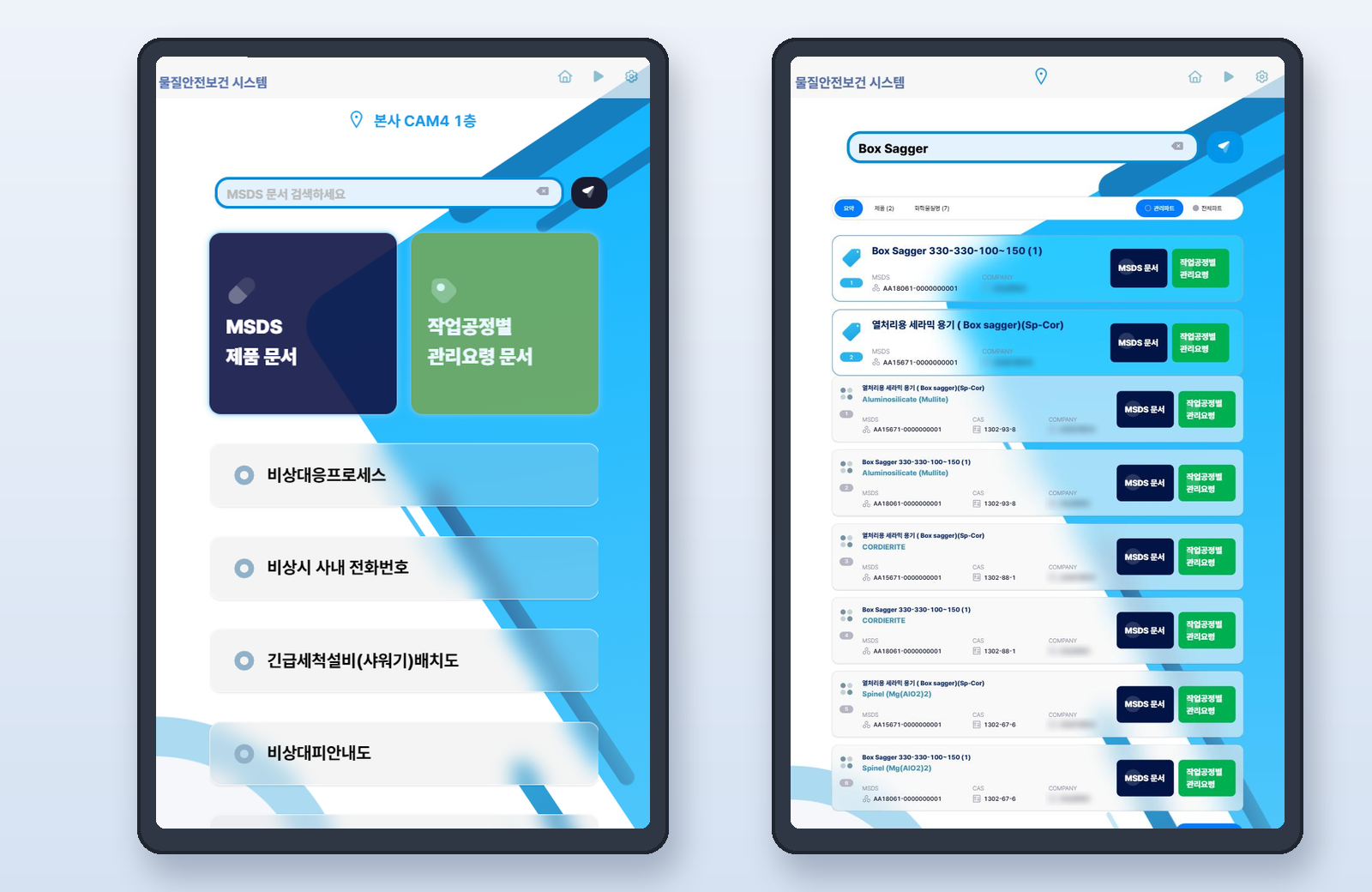
Screen 1 · Location, search, MSDS · handling guide, emergency menu
A vertical kiosk set up at each workplace. The home screen offers the emergency response menu for that location and MSDS search right away.
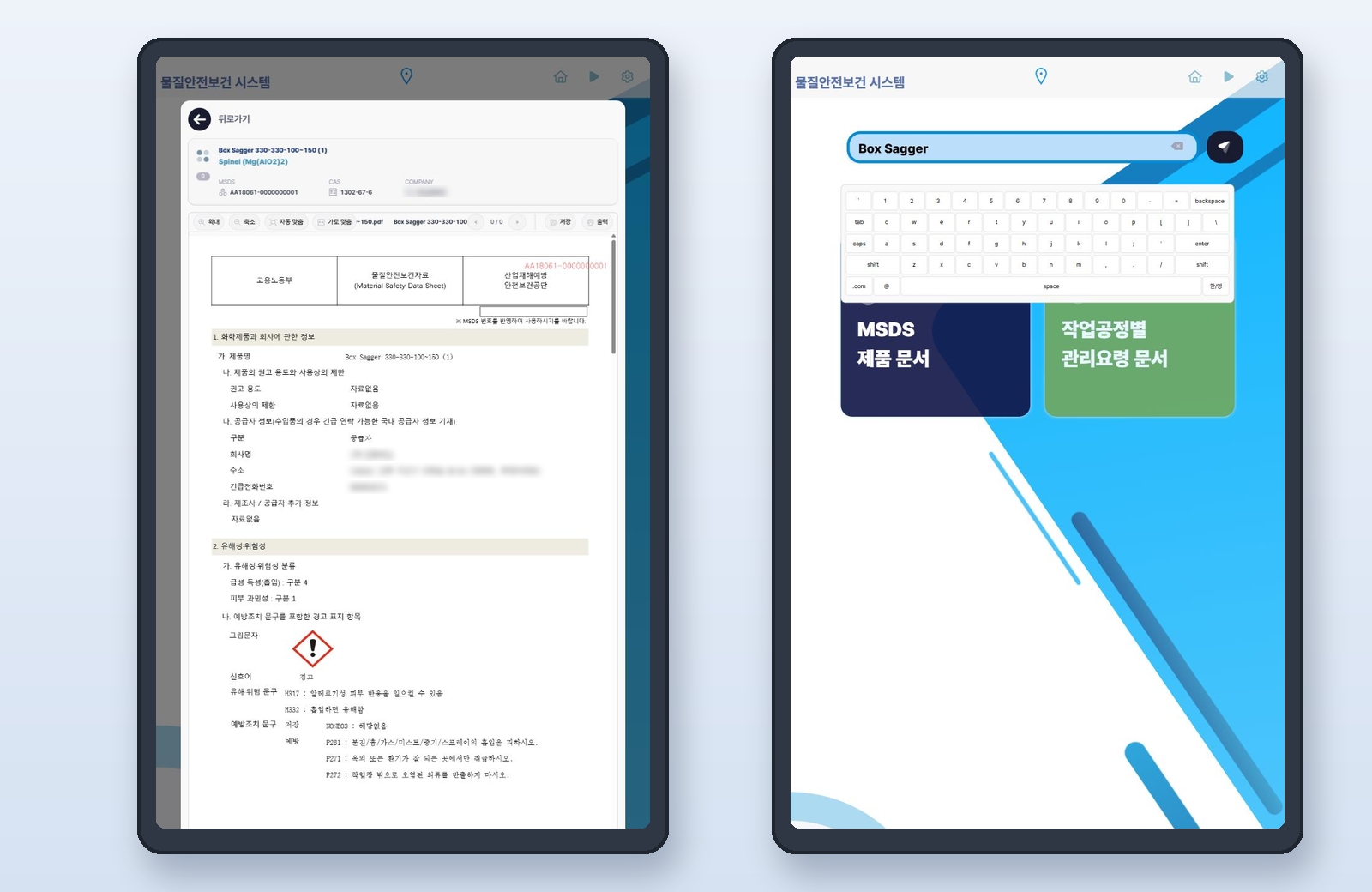
Screen 2 · Product · substance, MSDS number, CAS, documents
Open the MSDS of the substance you found right on the kiosk screen, and save or print it when needed. Enter English substance names with the touch keyboard too.
Screen 3 · Kiosk, site · location, managing department, status
On the admin screen, set the location and managing department for each kiosk and choose the substances to post. You can also see at a glance whether each kiosk is on.
Screen 4 · Category, regulation, substance count, status
View hazardous chemicals at the site by regulation, and take care of MSDS nearing revision first.
Screen 5 · Request, review, approval, rollout, history
MSDS revisions and posting-location changes apply only after a staff member requests them and an administrator approves. The approval history shows who changed what, when and why, ready for inspections.
Screen 6 · Playlist, play time, target kiosks
When no one is using the kiosk, safety training videos and notices play in turn. Touch the screen to return straight to search.
When purchased chemicals arrive, the person in charge registers the MSDS and posts it on the kiosks of the lines that use them. Workers can look it up on the floor from day one.
The worker finds the substance on the kiosk, reads the first aid section, and checks the nearest wash station in the emergency menu.
When a supplier revises an MSDS, upload the new document and approve it. Every kiosk posting that substance switches to the new document at once.
Before an inspection, check regulated substances and overdue MSDS revisions on the dashboard, and export posting status by location.
Add the safety training videos and notices of the month to the playlist, and they play in turn on every kiosk during idle time.
Switch the screen language so foreign workers can read the MSDS menu and emergency guidance in their own language.
Add products one at a time as needed, and expand like this.
Deployment model
Configuration and cost vary with scope, user count, and installation environment. Tell us your situation and we will recommend the right approach.
Contact salesInstall it on your company server or in the cloud, and use it from browsers on workplace kiosks · tablets · PCs. It also runs on internal networks.
Receive item and purchasing data from your existing chemical management system and MES · ERP via API, and match it with MSDS automatically.
MSDS files are kept as PDFs, and substance · CAS · regulatory data is uploaded and downloaded in Excel.
We can supply vertical touch kiosks, or you can install it on your existing touch monitors · tablets · PCs. All it needs is a browser.
Yes. Each kiosk is assigned a site · location · managing department and posts only the substances used there. Workers can also switch to all substances to search.
Upload and approve the new document, and every kiosk posting that substance updates at once. Previous documents and revision history are kept.
Yes. A change reaches the kiosks only after a staff member requests it and an administrator approves it. The requester, approver, time, reason and the previous document stay in the approval history, ready to show at inspections.
Keep it and connect to it. Substance · MSDS data is received at a set interval and reflected on the kiosks.
If the supplier, components or content differ, each is managed as a separate MSDS. Search results show the MSDS number and CAS number together, so workers pick exactly the product they are using.
Scan the QR code posted at the workplace to open the MSDS list for that location on your phone.