Fast work support service
When a request comes in, connect right away without a site visit and fix it on the spot while viewing the screen.

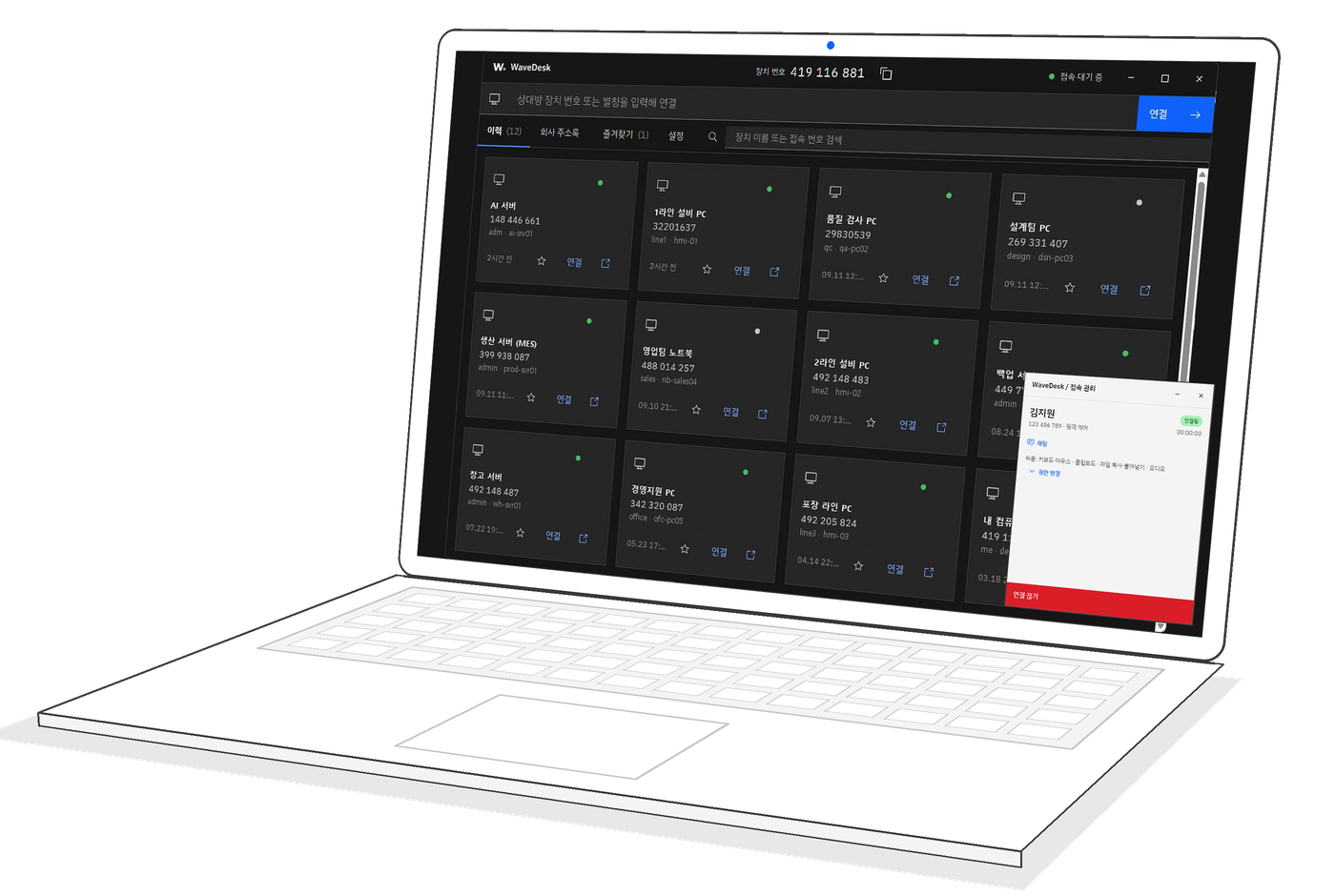
When a request comes in, connect right away without a site visit and fix it on the spot while viewing the screen.
Even plant networks without internet connect right away with just a Gateway on site.
The Enterprise edition controls access centrally through permissions.
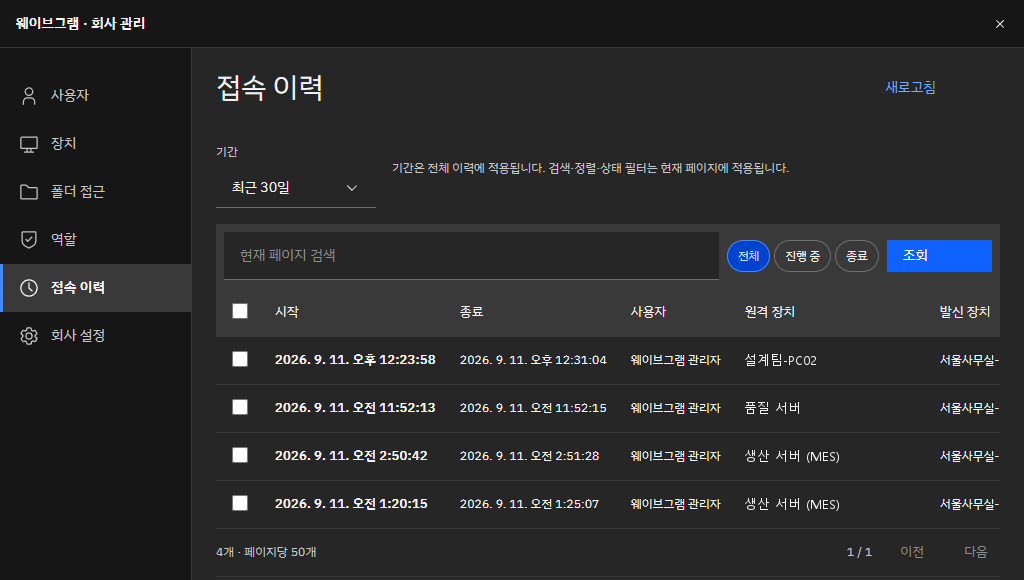
Logs who accessed which device and when, downloadable as a file.
Connect to the user's device to view the screen together, transfer needed files, and document the support outcome.
Review status by site and device, and pick devices to inspect for remote support.
Decide who can access which device, and confirm activity through access history.
View even 4K high-resolution screens without lag, and stay connected on slow lines. Quality and speed adjust to documents, drawings, and equipment screens.
Select a remote PC's monitor or show them all. When you don't need the screen, terminal mode opens just a lightweight command window.
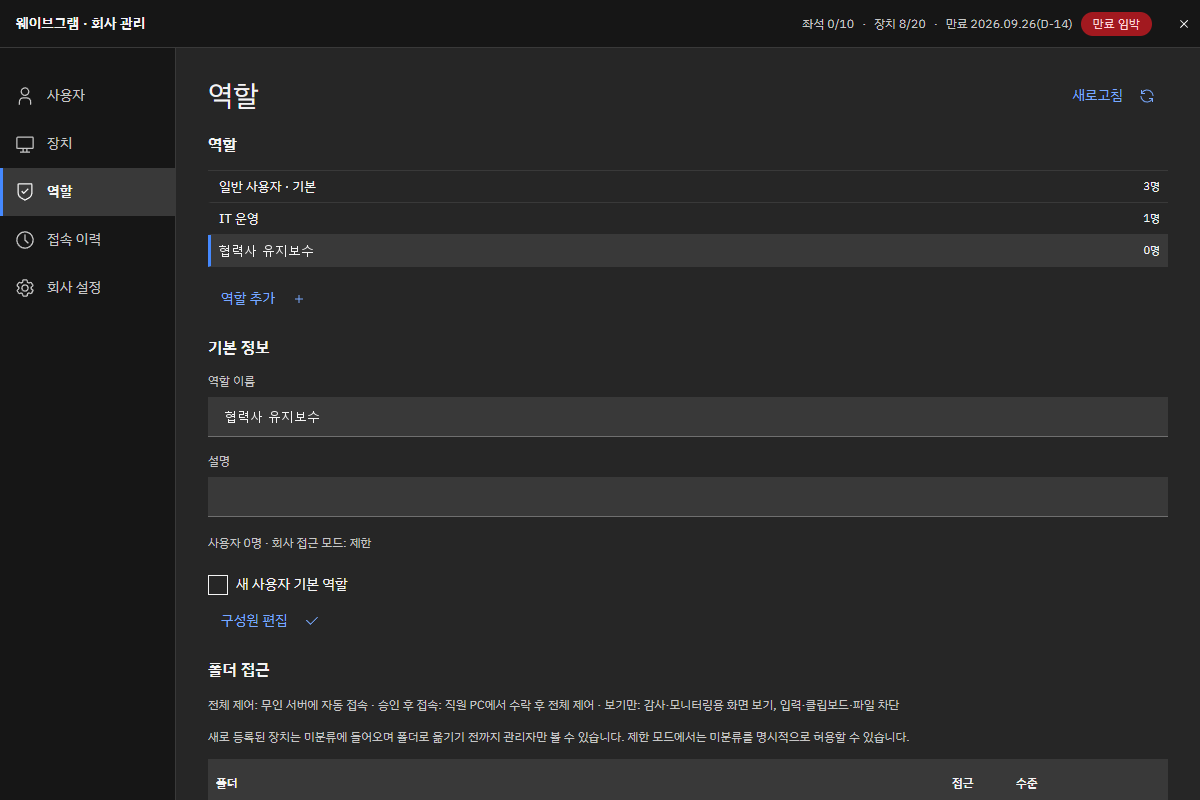
Create business roles and set the PC folders and permissions (full control · control after approval · view only) for each.
Run check commands automatically via CLI and gather disk · service · update status in real time. Or simply ask ECHO AI.
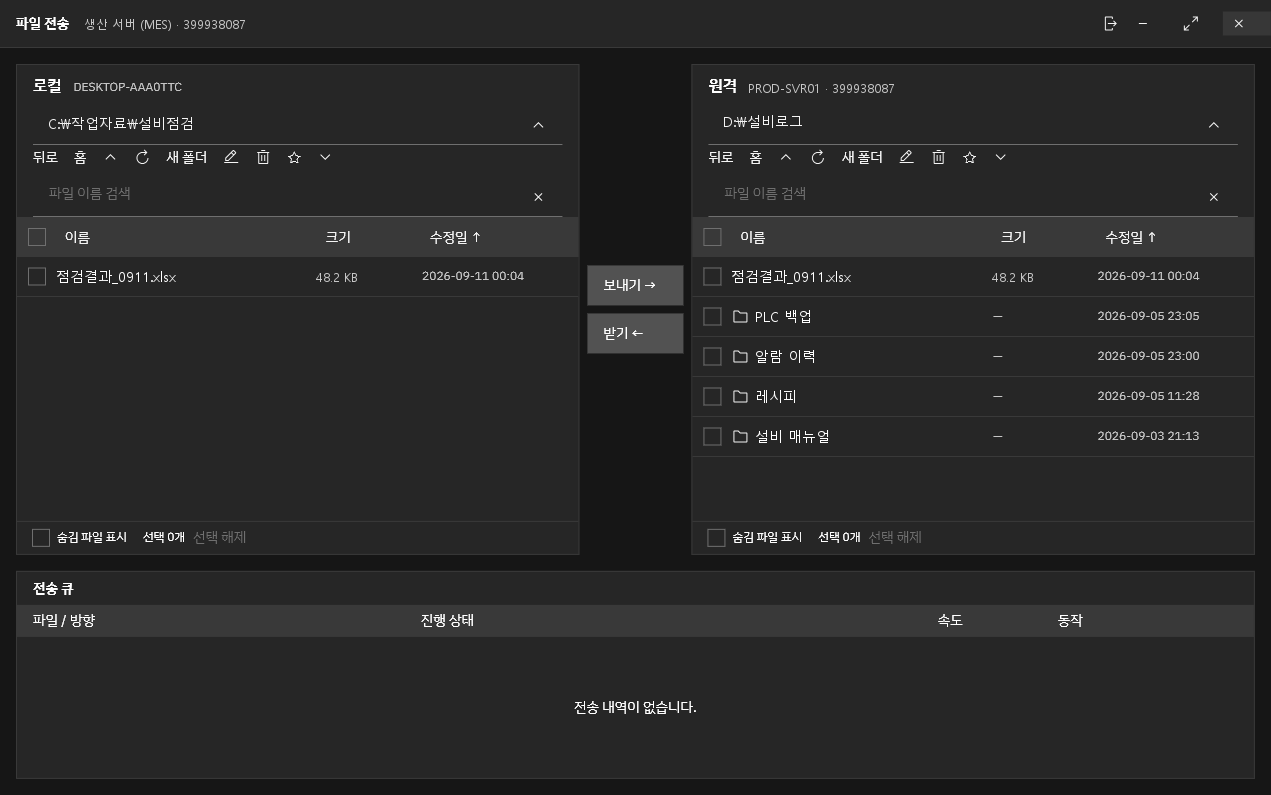
Move files with Send · Receive, and with unattended access on, authorized staff can connect even when no one is present. Sessions stay up even when an admin-rights prompt appears.
Record sessions and download access history by period. SSO · two-factor authentication protect sign-in.
Screen 1 · role list, role name, members, folder access, permission level
Create business roles and set the PC folders and permissions for each. For example, partners get access after approval, and auditors get view only.
Screen 2 · ECHO request, CLI command, results by PC, approve
Ask ECHO AI in plain words, and it sends commands to many PCs via the WaveDesk command line and compiles the results. PCs that were off pick up the task when they power on.
Screen 3 · my PC folder, remote PC folder, Send · Receive, transfer list
Open folders on two PCs side by side and move inspection results or equipment backup files with Send · Receive.
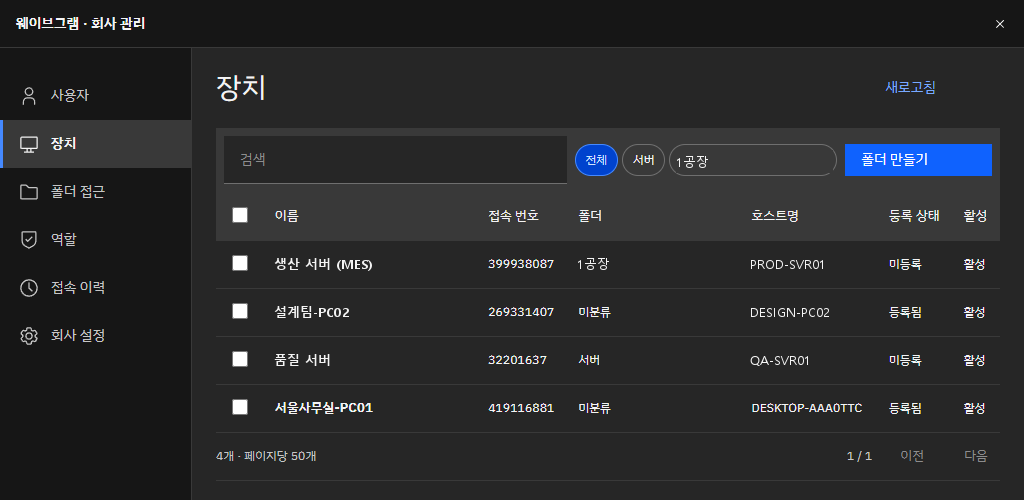
Screen 4 · users, devices, folders, roles, registration status
Group company PCs and equipment PCs into plant · department folders, and set who can access which folder.
Screen 5 · period, start · end time, user, remote device
Look up access history by period and download it as a file for security reviews.
At 2 a.m., a Line 2 equipment PC freezes, and the on-call engineer connects from home to restart the program. In the morning, the recording shows the cause.
Headquarters IT manages PCs in per-site folders and gives each site's staff permissions only to their own folder.
Give a partner equipment engineer the 'control after approval' role, and they can access that equipment PC only when the on-site owner approves. Every session is logged.
The design team connects from home to a company CAD PC, spreading 4K drawings across dual monitors to pick up where they left off.
Every morning, the CLI gathers disk · antivirus · update status from all PCs and alerts owners only about PCs with issues.
Server admins connect in terminal mode without a screen to check logs and restart services.
Add products one at a time as needed, and expand like this.
Deployment model
Configuration and cost vary with scope, user count, and installation environment. Tell us your situation and we will recommend the right approach.
Contact salesManage PCs, users, roles, and permissions across multiple sites from one headquarters. Wavegram only issues licenses; your company admins manage everything directly.
If security policy requires, we deploy it directly on your company servers. Sites without internet connect through an on-site Gateway.
Sign in with your existing company account (SSO), with a second check through two-factor authentication (2FA).
Signed updates install automatically, so you are always on the latest version without lifting a finger.
Yes. It streams even 4K high-resolution screens without lag, and lets you tune quality and frame rate (up to 120 fps) for the task. PCs with hardware encoding run it even lighter.
Create users and assign business roles. Give each role the PC folders it can access and permissions (full control · control after approval · view only), and review access history.
Yes. The CLI sends check and fix commands to many PCs automatically, or you can simply ask ECHO AI. Commands run only on devices that allow remote tasks, and every command is logged with who ran it.
Yes. Connect to your existing company accounts via SSO, and turn on two-factor authentication (2FA) for an extra login check.
Yes. If needed, we deploy it on-premises on your company servers. Sites without internet connect through an on-site Gateway.
Just turn on unattended access. Only users your company admin has authorized can connect.